 SnagFlat
Free Chrome extension · New York City
Apartment hunting in NYC is brutal. We make it a little fairer.
SnagFlat flags the listings that are likely rent-stabilized — and which way they face the sun — right on StreetEasy. Scan a whole results page instead of opening forty tabs.
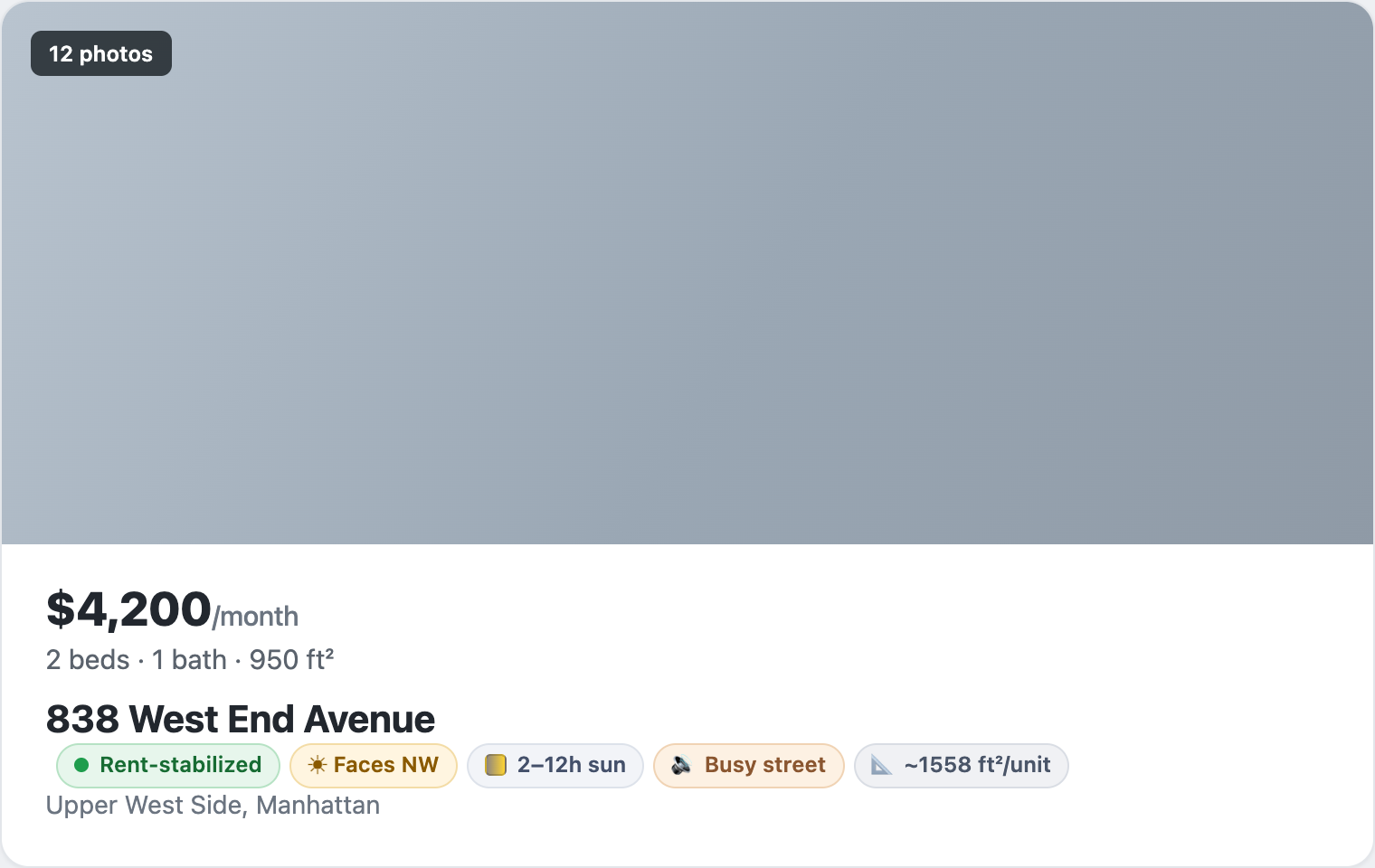
What you see on every listing
Small badges next to each listing. Click any one for the basis, the data source, and an honest caveat.
Is it rent-stabilized?
We check public NYC records for registered rent-stabilized units and J-51 / 421-a tax benefits that require stabilization — and tell you the basis, like “55 of 68 apartments registered.”
Orientation
Which way the building faces — and whether a south exposure is even possible.
Sun hours
Estimated direct sunlight on the equinox, ray-cast against neighboring buildings — tailored to the floor.
Street character
A quick busy-vs-quiet read from the street, so a corner avenue doesn't surprise you.
Average unit size
The building's average residential unit size from public records — context, not a promise about this unit.
How it works
A thin extension reads the address you're already looking at and asks our backend. The heavy data stays on the server, not in your browser.
Reads the address
On a supported listing, SnagFlat pulls the address and borough from the page. That's the only thing it sends.
Matches the building
Our backend geocodes it to a NYC building ID and looks it up in public datasets — rent-stabilization rolls, tax benefits, footprints.
Draws the badges
You get an honest status with the basis and caveat — and you can filter a results page down to just the ones you want.
Why you can trust it
Honest about what we can't know.
A confidently wrong badge is worse than an honest “unknown.” You're making a housing decision — so we tell you the basis, not just a verdict.
- Building-level, not unit-level. We can say a building is registered as stabilized; the public data can't guarantee a specific apartment.
- The data lags reality. Public records are updated on their own schedule, so a badge can be a year or two behind.
- “Unknown” is a real answer. When the records are inconclusive, we say so instead of guessing.
- Informational, not legal advice. Use it to triage and ask better questions — then verify before you sign.
Daily digest
The 5 best rent-stabilized finds, every morning.
Every day we rank the listings SnagFlat users spotted across NYC — buildings with real stabilization signals, sun, and quiet streets — and send you the top five. You won't see the same apartment twice. Free, unsubscribe anytime.
Double opt-in — we email a confirmation first. Just your email, nothing else; see the privacy policy.
Stop opening forty tabs.
Add SnagFlat and the rent-stabilized listings light up the next time you search StreetEasy.
Add to Chrome — it's freeFree · No account · New York City only